Use segmentation
Segmentation refreshment
Every time you hit segmentation activate button, all profiles will be calculated and assigned the corresponding segmentation.
It takes sometime to do this process. Later on, the segmenation will works as below:
| Index | Usecase | Process |
|---|---|---|
| 1 | Segmentation activate | Calculate all profiles and assign segmentation |
| 2 | Customer added or updated | Scan all segmentations for this customer, process near real-time |
| 3 | Customer did activity | Scan all segmentations for this customer only, process every 5 minutes |
| 4 | Daily | Scan all segmentations for all customers, process at every midnight |
Segmentation for campaign targeting
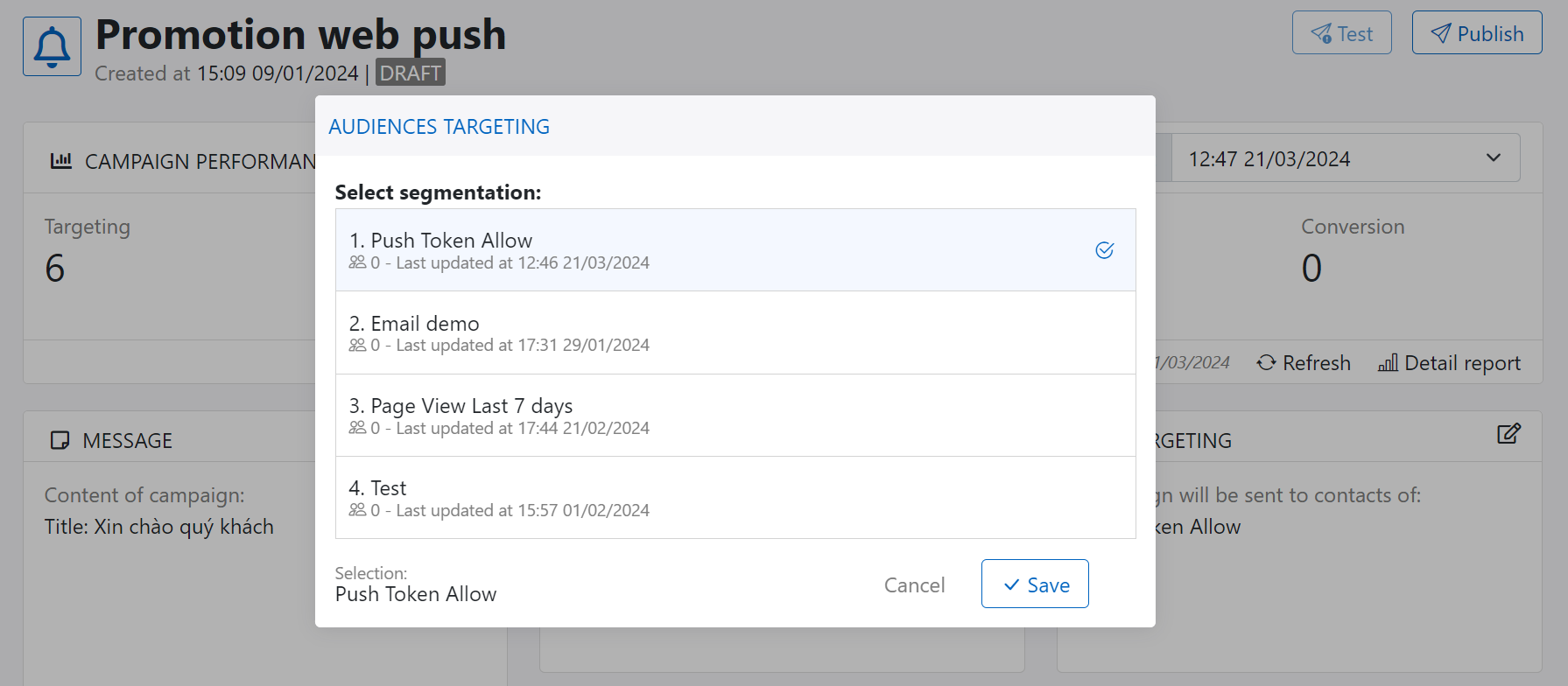
In campaign designer, you can select segmentation for campaign targeting to launch your campaign. Suggest to save and activate your segmentation before launch campaign.
Segmentation for journey trigger
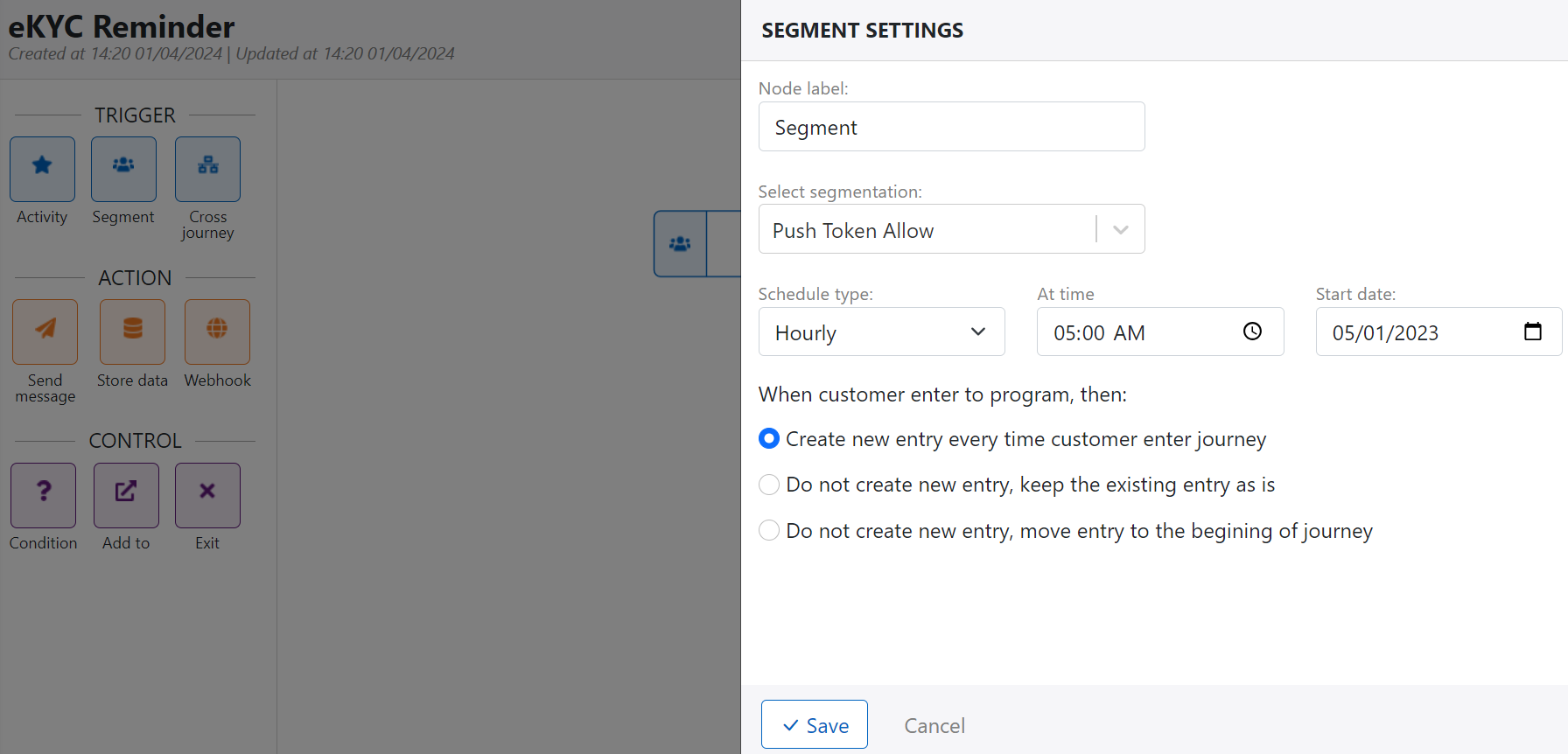
In journey builder, you can select segmentation from trigger section for journey trigger. And don't forget to activate your segmentation before running journey.
Segmentation for data export

Data export allow you to sync data to external systems like SFTP, Database or CRM system. In this case, you select the segmentation that you want to export.