Overview
Notes
You should have right permission to setup app. Only provide permission to right person or have experience on setting up, otherwise it can make connection broken.
App concept
App present the connection setting between digital assets like website, mobile app, or marketing channel like email, sms... or legacy system like CRM, POS, DWH or custom integration (via API) and our platform.
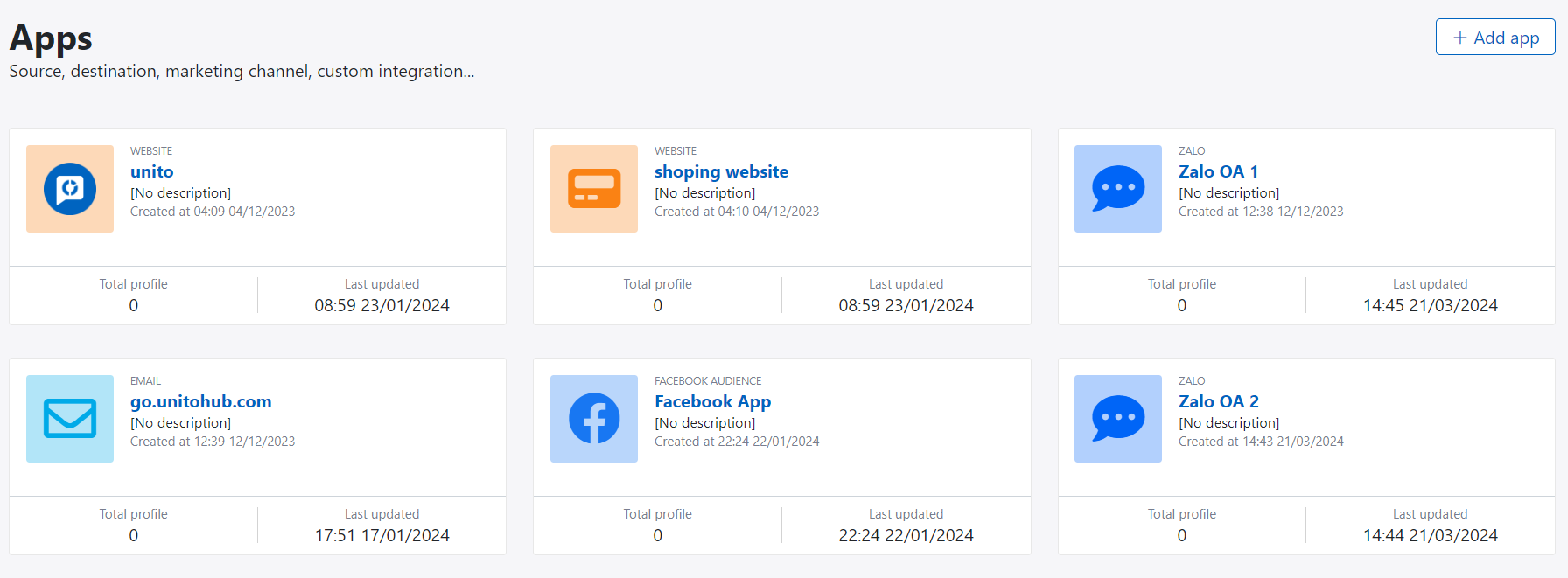
The supported type of app as below:
| Index | App Type | Description |
|---|---|---|
| 1 | Website | Collect push notification token, tracking contact and their online behaviour, handle push notification, web popup campaign |
| 2 | Mobile App | Collect push notification token, tracking contact and their online behaviour, handle push notification, app popup campaign |
| 3 | Email campaign setting for sending email marketing | |
| 4 | SMS | SMS vendor setting for sending sms campaign |
| 5 | Zalo | Zalo official account setting for sending Zalo Officical Account Message and Zalo Notification Service |
| 6 | Facebook audience targeting | |
| 7 | Google Ads audience targeting | |
| 8 | SFTP | Import and export data |
| 9 | Database | Sync data between platform and database |
| 10 | API | Call API from platform |
| 11 | Custom | Call custom app from platform |
Create new app
Following these step to create new app:
- Go to App experience menu
- Click on + Add app button
- Select app type and fill app name
- Click Save to complete process and go to detail setting page
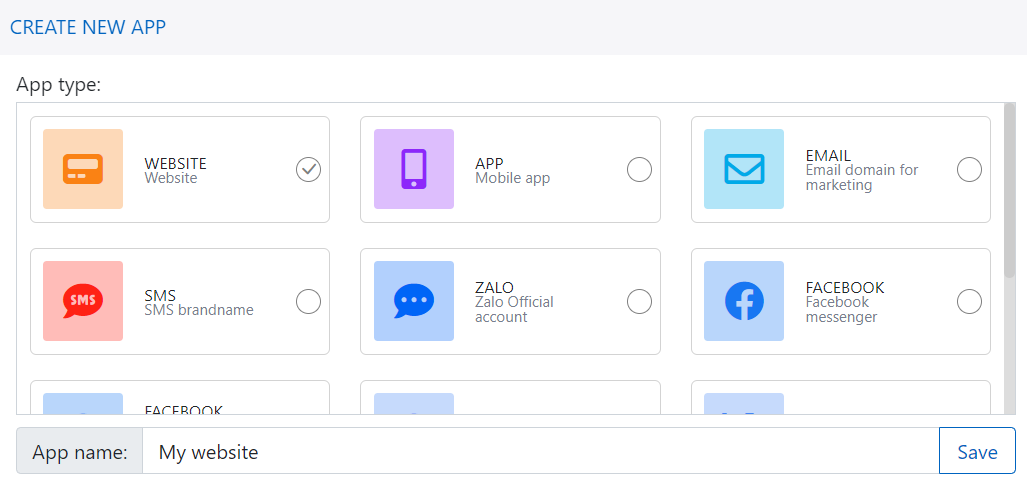
Following the link for each of app setting.
Using app
You can use app for input data or output data depending on business usecase and marketing campaign:
- Collect contact information and their behaviour.
- Sending marketing campaign like email, sms, push notification.
- Sync audience targeting to advertising platform.
- Sync data to external system via SFTP or DWH.
- And other purpose.