Create campaign
Add new campaign
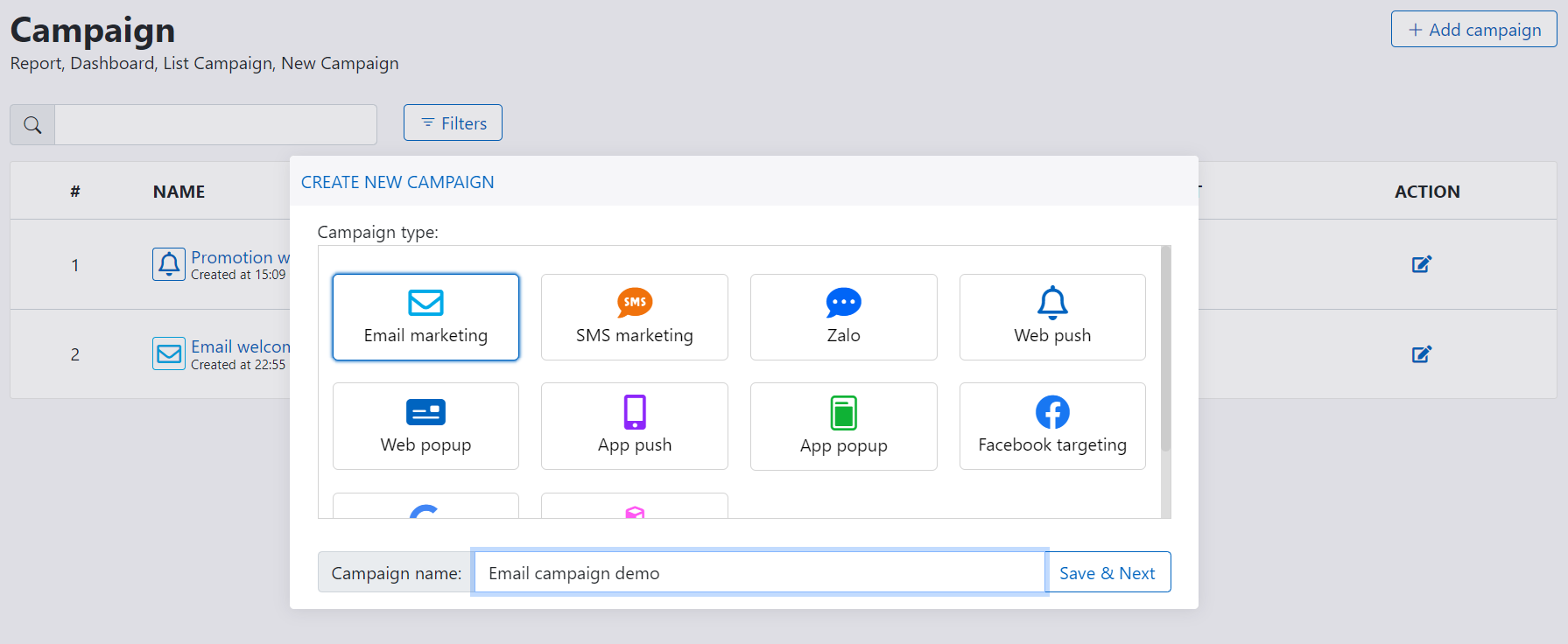
Following these step to create new segmentation:
- Go to Campaign from menu
- Click on + Add campaign button
- Select campaign type and fill campaign name
- Click Save & Next to complete process
Campaign designer
Campaign designer display 5 blocks corresponding to 5 features: campaign info, content, targeting, advanced and launch schedule.

Campaign info
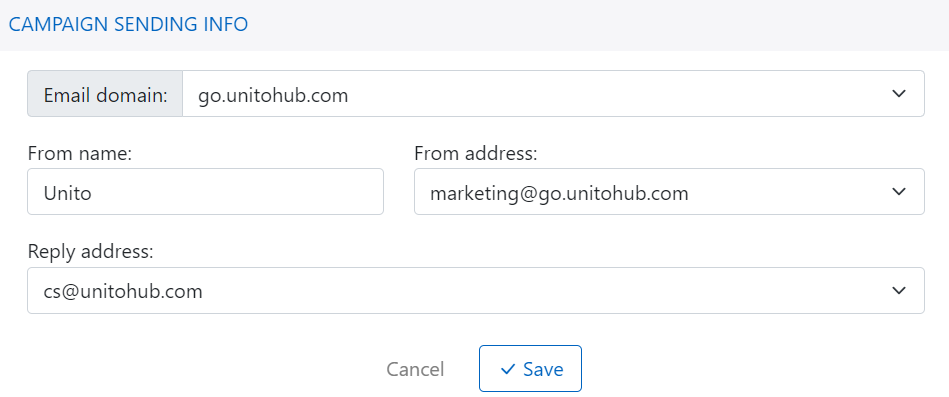
For each campaign type, platform display the difference info for selection. Normally, campaign info contains information about digital asset where campaign will be sent. You just select the info and save it.
As following sample, email marketing domain, from address and reply address are displayed for email marketing campaign:
Campaign content
Email content
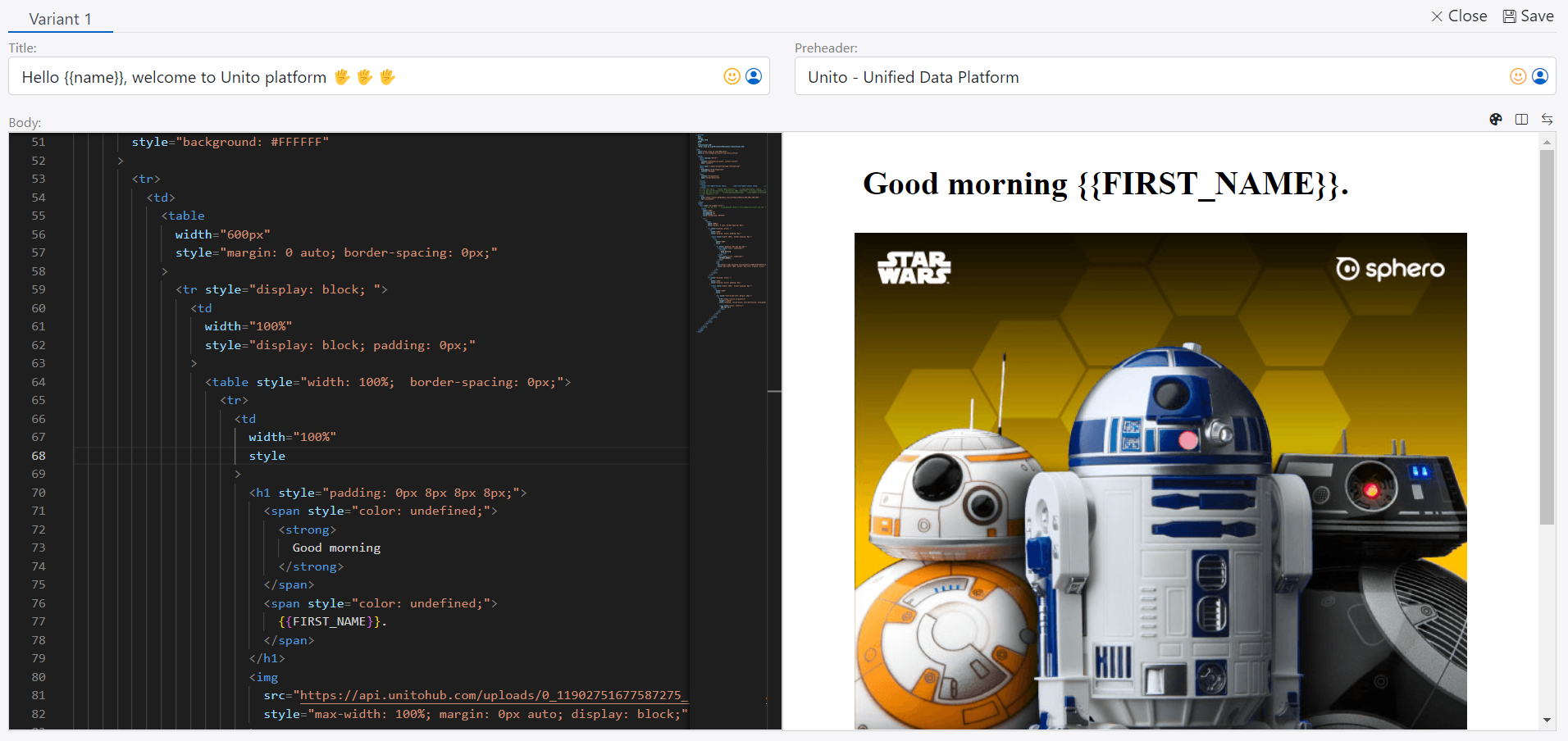
For email content, you have to define email subject, email preheader - optional value and email body. If you have designed email content template, you can pick up from their. Otherwise you can start by coding from scratch.
From this section you can:
- Add personalized token to email subject, preheader or body
- Add emotion icon to email subject, preheader or body
- Switch between visual view, code view or both
- Change email content template
- Add A/B/C variant for A/B/C testing (comming soon)
Campaign targeting
When you click to select campaign targeting, the popup will open and display all segmentations. You select one of them for campaign targeting.

Campaign advanced
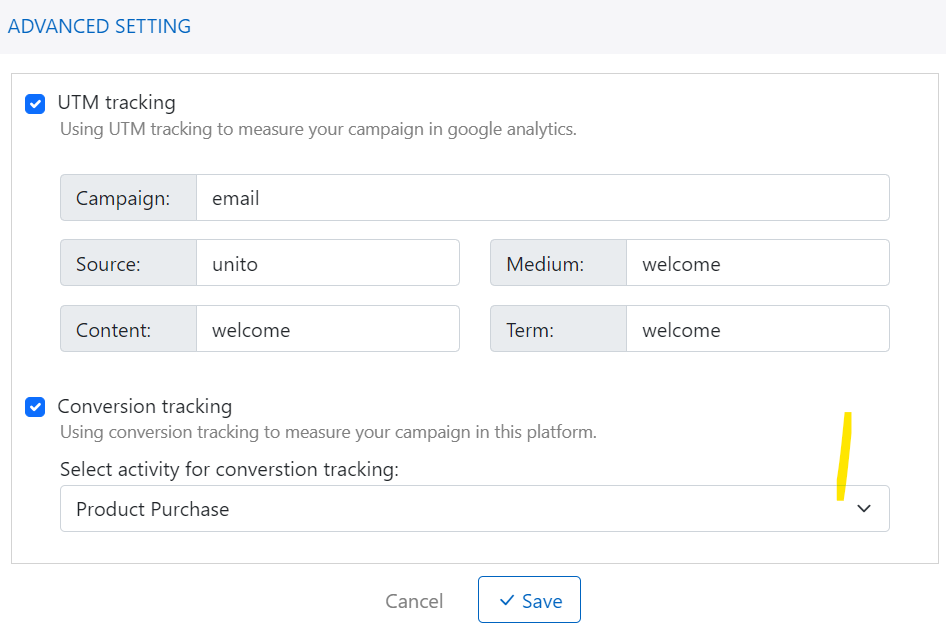
Campaign advanced setting include two options: UTM tracking and Conversion tracking.
-
UTM tracking: support you add utm campaign, source, medium, content and term. It support you analyze the traffic in Google Analytics.
-
Conversion tracking: Let you define campaign goal via activity (system activity or custom activity) if customer make activity after receiving your campaign.
Campaign schedule
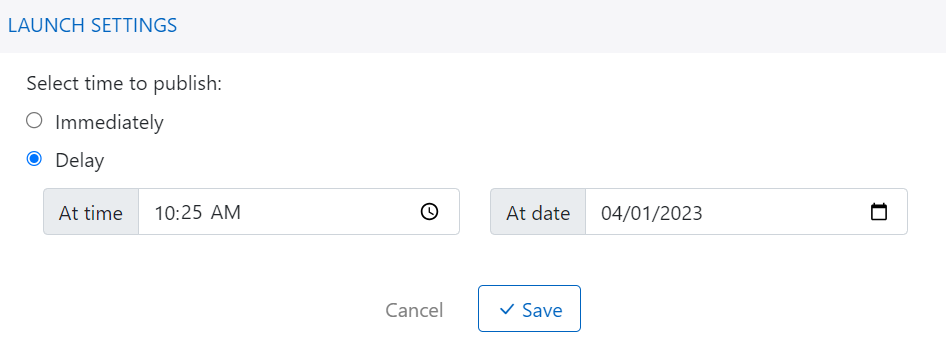
Campaign schedule setting let you define when campaign will be launched.
-
Immediately: Campaign will be launched (sent to customer in campaign targeting) at the time campaign published.
-
Delay: You select this option with time and date start. It support you in case you have marketing plan and need to launch that campaign in the future.