Create segmentation
Add new segmentation
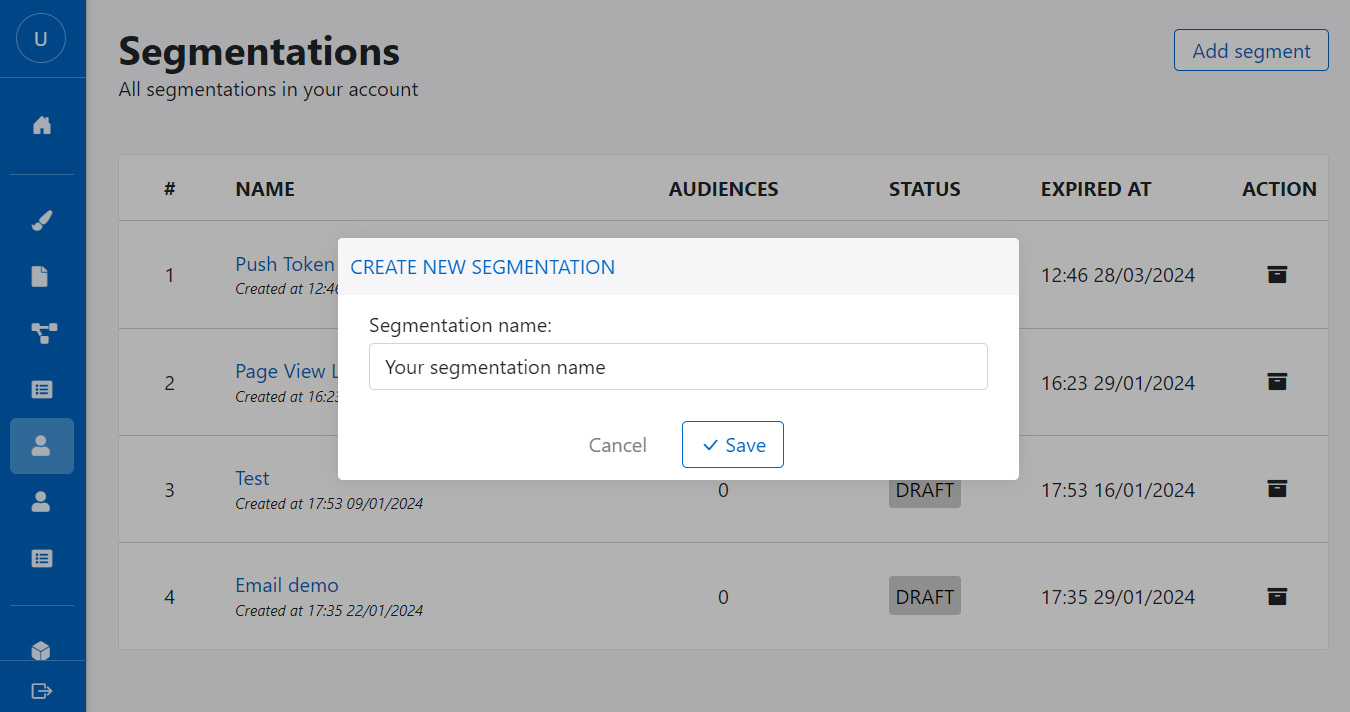
Following these step to create new segmentation:
- Go to Segmentation menu
- Click on + Add segmentation button
- Fill segmentation name
- Click Save to complete process
Segmentation group
You can create maximum 5 segmentation groups in your account.
Segmentation group contains segmentation rules. Normally, you should group rule from the same source for better performance. You can add new group by click on + Add group button below the segmentation group.

Segmentation rule
You can create maximum 5 segmentation rules in a segmentation group.
You can add new segmentation rule by click on + Add rule button below the segmentation group.
Attribute rule

Segmentation rule by attribute will segment all identified profiles (contact) by selected attribute, operation and value comparison. Depending data type of attribute, platform provide difference comparision method to help you segment profiles.
System activity rule
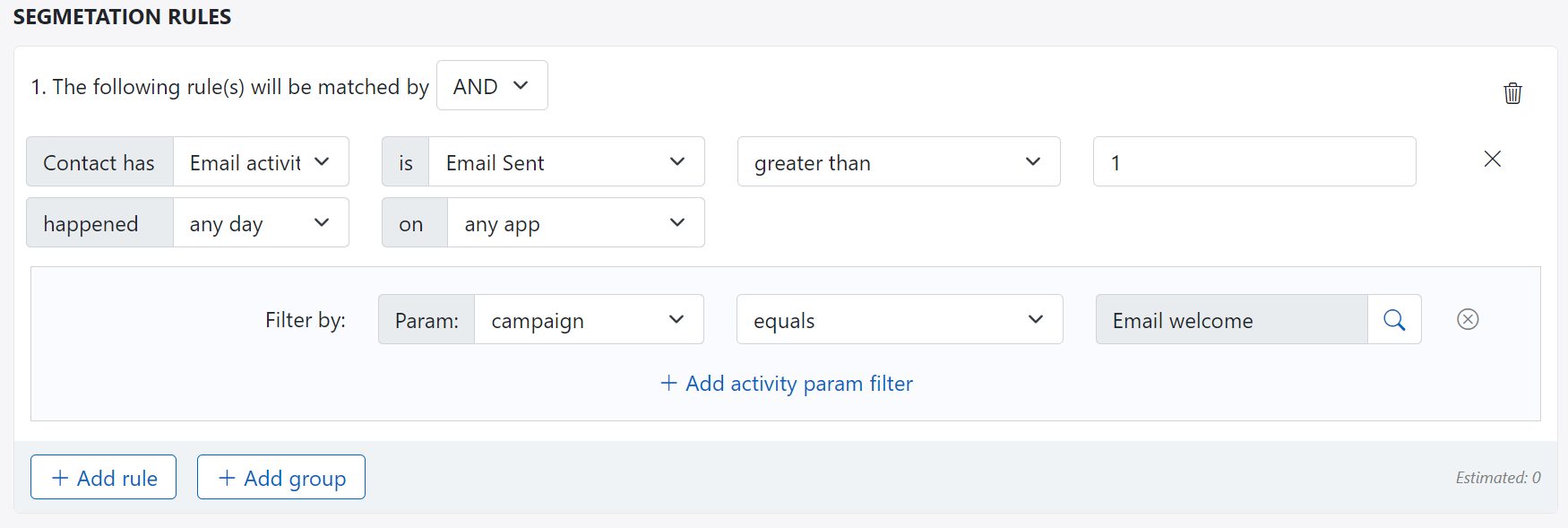
Segmentation rule by system activity will segment both anonymous and identified profiles (contact) by selected activity. This kind of rule will based on activity name, operation, value comparision with the date range happended on specified app or any app.
Most of system activity rules come from marketing channel activity like sent, opened, clicked... on campaign from channel: email, sms, push notification, popup.
In case the selected activity contains activity parameters, you also can segment using those parameters.
Custom activity rule
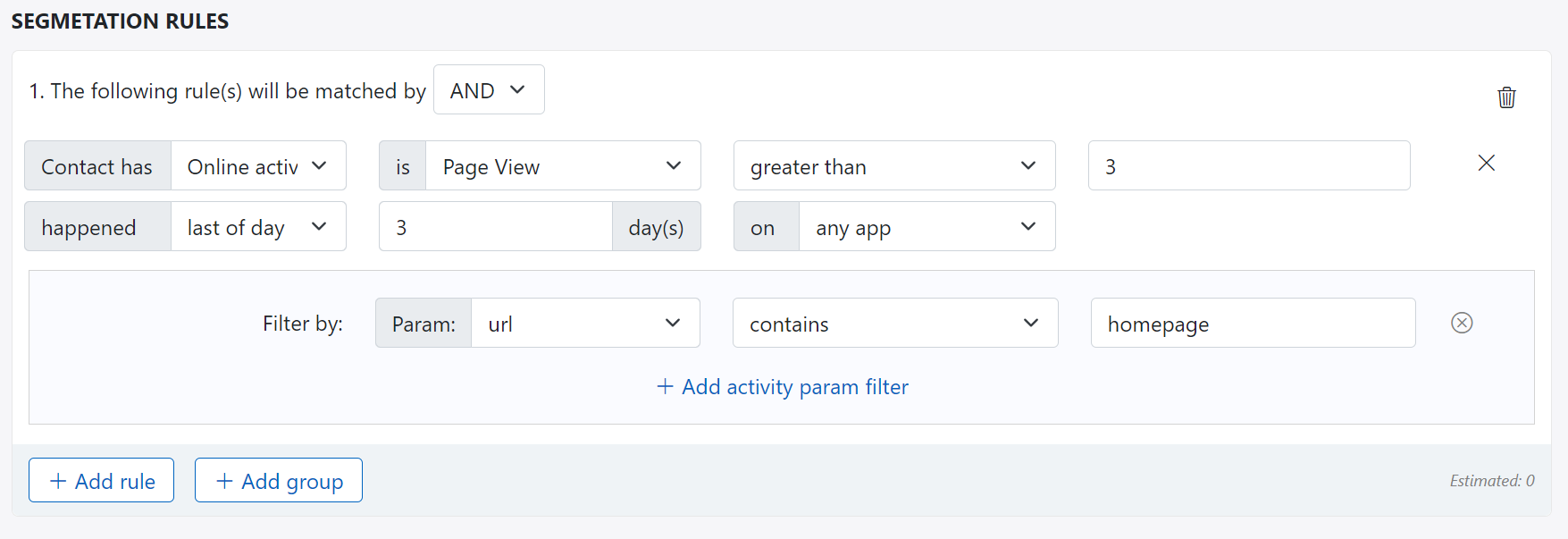
You also can create segmentation rule by using custom activity and activity parameters as well, like you can do with system activity above.
Related data rule
Only available for PRE license edition
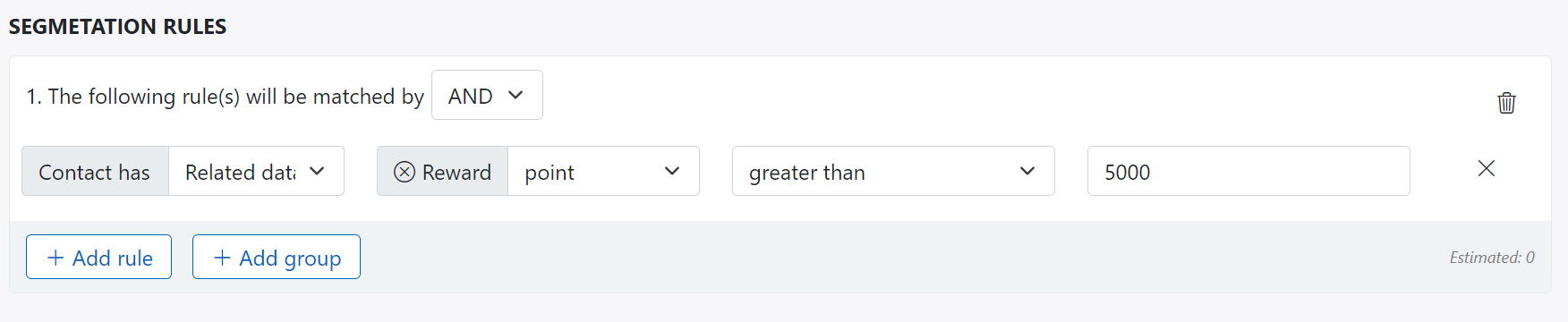
If there is any custom data related to contact then you can segment contact using that custom data fields. The operation and value comparison are the same as contact attribute above.
For above example: Contact related to custom data named Reward, and Reward contains point attribute with data type is number, then you can segment all contact with reward point is greater than 5000.
Other rule
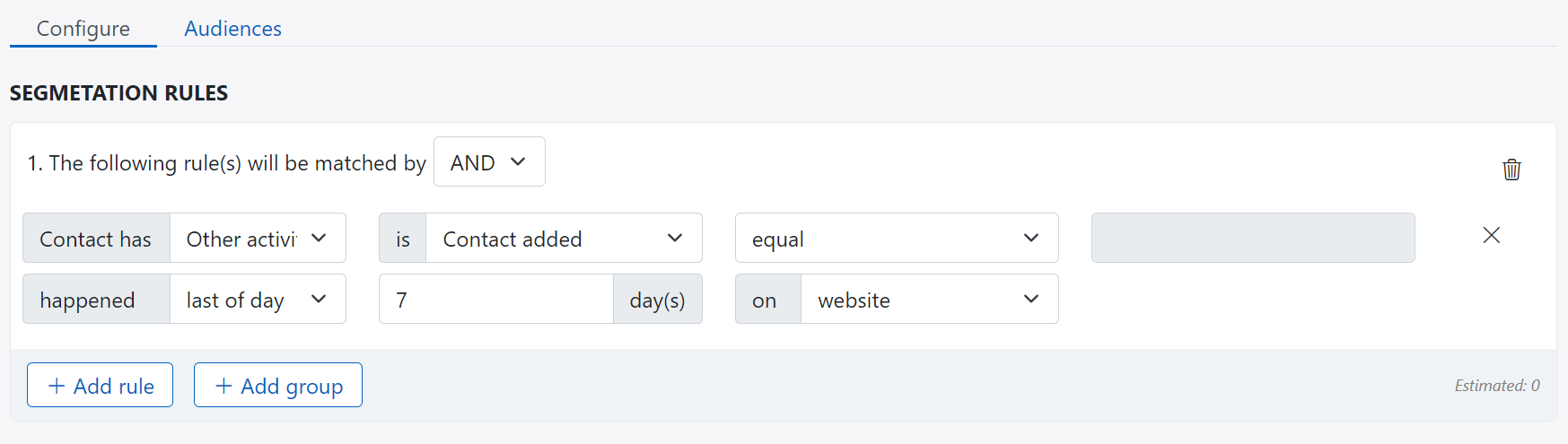
The other rule provide you criteria for segment profile like contact added to platform, so that it is easy for you to target the group of customer in date range
In above example, you can segment profiles who submit contact form on website in last seven days.
Save & activate segmentation
For quick count or estimate number of audiences in segmentation, click on count. It takes sometime to calculate all data before display the estimated number.
Click on Save button to save all segmentation groups and segmentation rules. Otherwise all setting up will be lost.
However, you can not use your segmentation if you don't activate it. Simply click on Activate button to assign profile to this segmentation.

Segmentation audiences
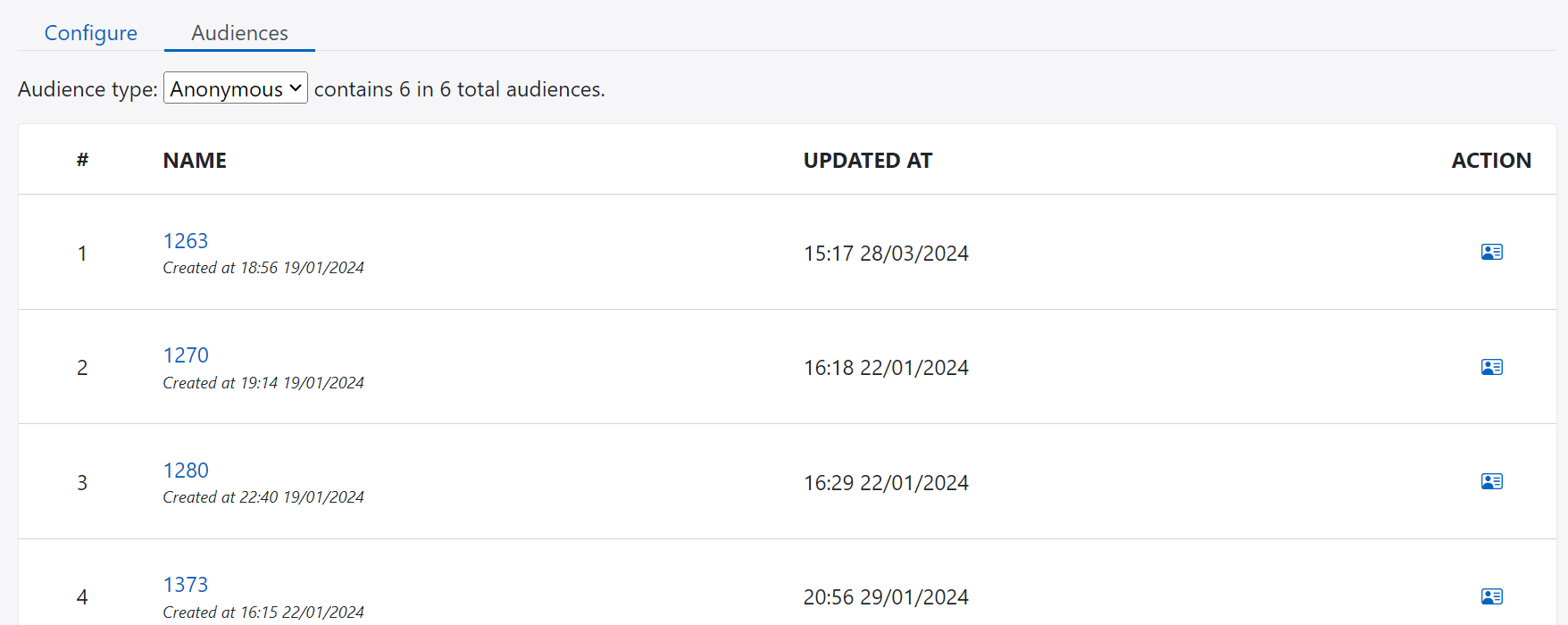
After activating your segmentation, the audienes will displayed at tab Audiences. You can click on record item to go to tracking detail page or contact detail page.