Contact data
In this section you will learn about:
ContactCreate new attributeUpdate attribute
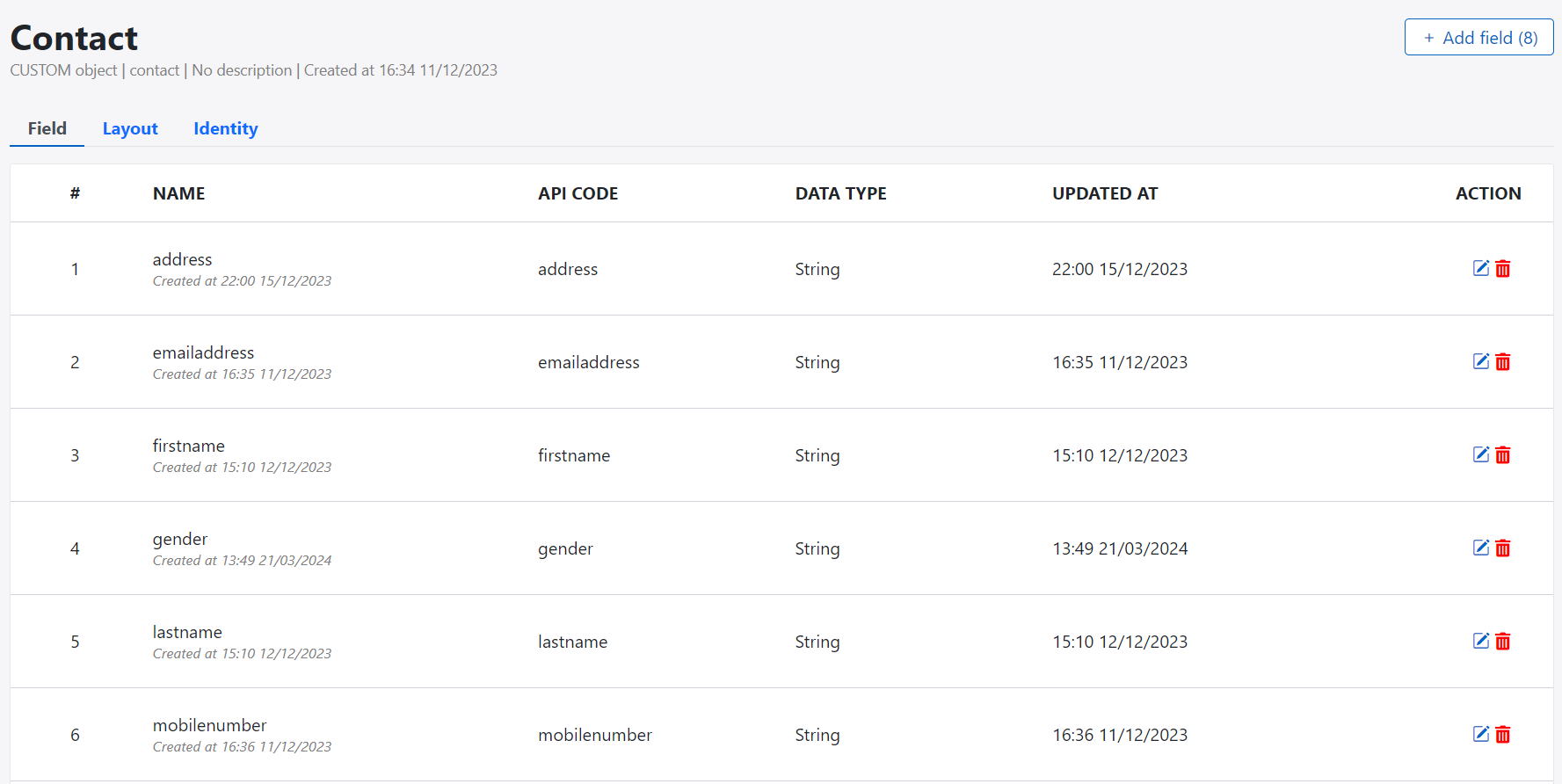
Contact
Contact present customer profile or identified profile. Contact contains attributes to present profiles such as demographics data, psychographic profiling or engagement data
Create new attribute
You should have right permission to create new attribute. Contact your administrator to assign permission.
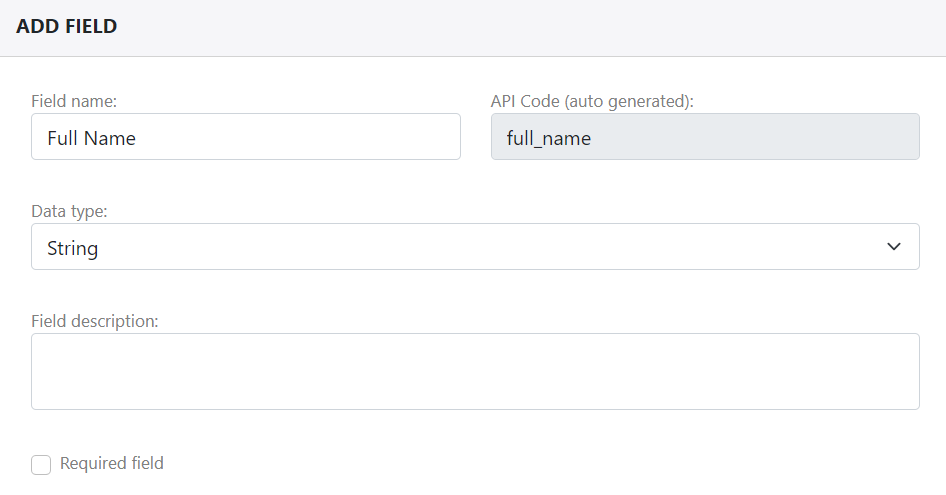
System allow permission users to create new contact attributes to store contact data.
Attribute value is type of data as the following table:
| Index | Data Type | Description | Example |
|---|---|---|---|
| 1 | String | Store character value from 0 to 256 length | Firstname, lastname... |
| 2 | Text | Store character value from 256 to 512 length | |
| 3 | RichText | Store character value more than 512 length | |
| 4 | Store email address | ||
| 5 | Password | Store password field | |
| 6 | Integer | Round number | |
| 7 | BigInteger | Very big number | |
| 8 | Float | Number with float | |
| 9 | Date | Store value in date | |
| 10 | Datetime | Store value in date and time | |
| 11 | Boolean | Store YES or NO value | |
| 12 | Json | Store object | |
| 13 | Enumeration | Store list of item | |
| 14 | Relation | Store relationship to other object |
Following these step to create new attribute:
- Go to Data Builder menu
- Select Master data group
- Select contact object and open detail page
- Click + Add attribute
- Select data type and fill attribute name
- Click Save to complete or create new one
Update attribute
Avoid update contact while import data to contact if you don't want to interup the import processing.
Following these step to update attribute:
- Go to Data Builder menu
- Select Master data group
- Select contact object and open detail page
- Click + Add attribute
- Select data type and fill attribute name
- Click Save to complete or create new one
Contact layout
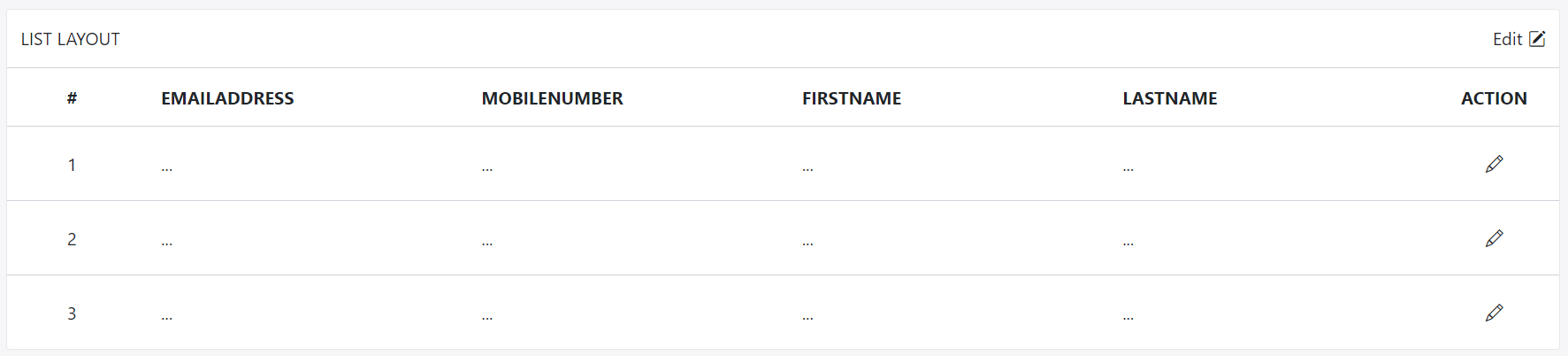
You can setup contact layout depending on creation attributes:
-
List layout: List of attribute for table or grid item
-
Detail layout: Device by row and column, each of column can contains 1 to 4 attributes
Identity Resolution
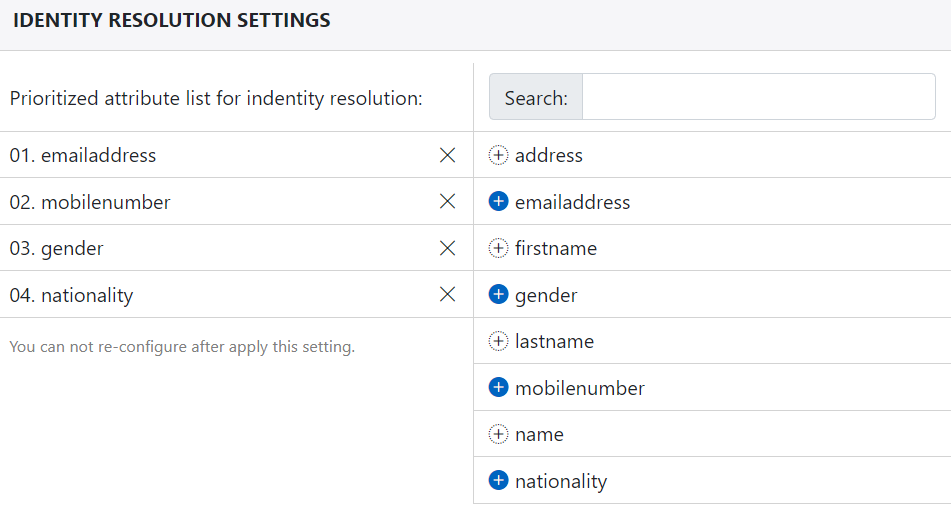
Every contact should be identified by list of attributes. You can setup the list of attribute and the priority of attributes. For example:
- Customer ID
- Email Address
- Mobile Number