Activity data
In this section you will learn about:
What is eventCreate new eventCreate event parametersDelete eventDelete event parameters
What is Activity
Activity includes system and custom activity. System activity mostly present activities of platform while custom activities present additional event or behaviour of visitor/contact from online to offline.
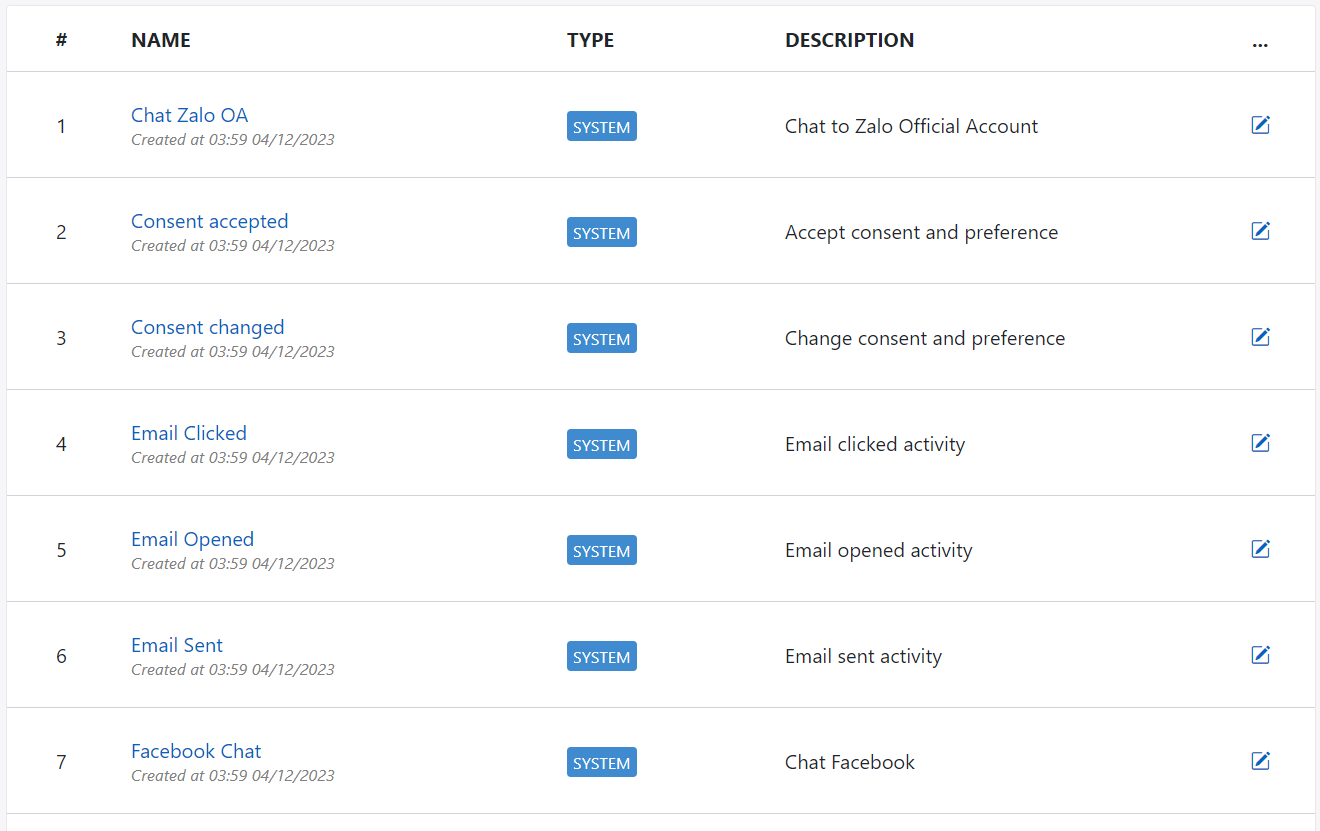
System activity
You can not change system activity for both name, api code or parameters.
System activity devide by channel as below:
Email activity:
| Index | Activity name | Description |
|---|---|---|
| 1 | Sent | Platform sent email campaign to contact |
| 2 | Opened | Contact opened email campaign |
| 3 | Clicked | Contact clicked on link in email campaign |
Web push notification activity:
| Index | Activity name | Description |
|---|---|---|
| 1 | Blocked | Contact clicked on block button of notification permision popup |
| 2 | Allowed | Contact clicked on allow button of notification permision popup |
| 3 | Sent | Platform sent web push notification campaign to contact |
| 4 | Errored | Platform got error when sent web push notification campaign to contact |
| 5 | Showed | Web push notification campaign has been showed |
| 6 | Clicked | Contact clicked on web push notification campaign |
| 7 | Closed | Contact clicked to close web push notification campaign |
Consent activity:
| Index | Activity name | Description |
|---|---|---|
| 1 | Accepted | Contact clicked on accept button of consent popup |
| 2 | Changed | Contact choose and save settings on consent popup |
Custom activity
You can create custom activity to present additional activity from digital assets or offline activity. The number of activity can be created depending to your license edition.
| Index | Licence edition | Limitation |
|---|---|---|
| 1 | Plus | Less than or equal 30 |
| 2 | Pro | Less than or equal 100 |
| 2 | Pre | Unlimited |
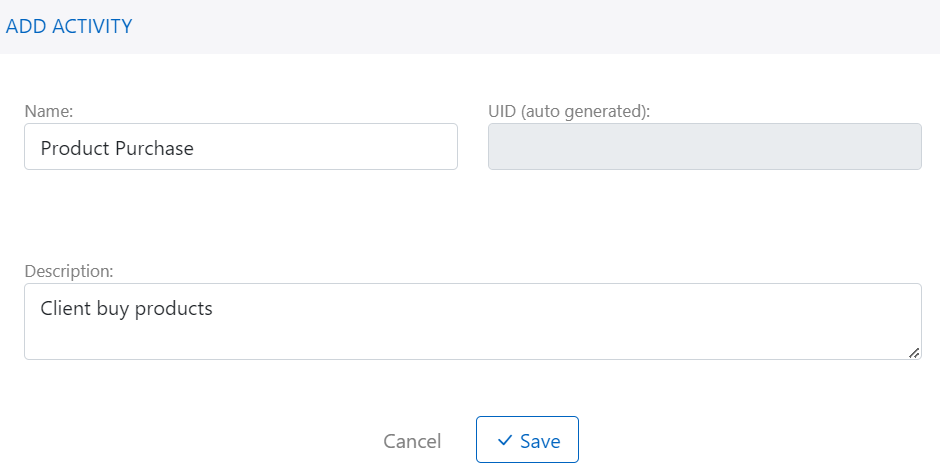
Create custom activity
You should have permission to create new custom activity.
Following these step to create new attribute:
- Go to Data Builder menu
- Select Activity data group
- Click + Add attribute
- Fill activity name and click + Add to create
- Go to activity detail and add parameters to activity
Delete custom activity
Avoid delete custom activity that is still trigger to platform. Make sure all trigger should be stoped before deleting.
Using activity
Activity can be used to segment contact or start journey automation. Please find detail here